YouTube · AI tools
AI Tool Reviewers on YouTube Worth Following in 2026
21 YouTube creators who test AI tools on camera, show the real output and say when something doesn’t work. Each entry says why, with a video to start with.
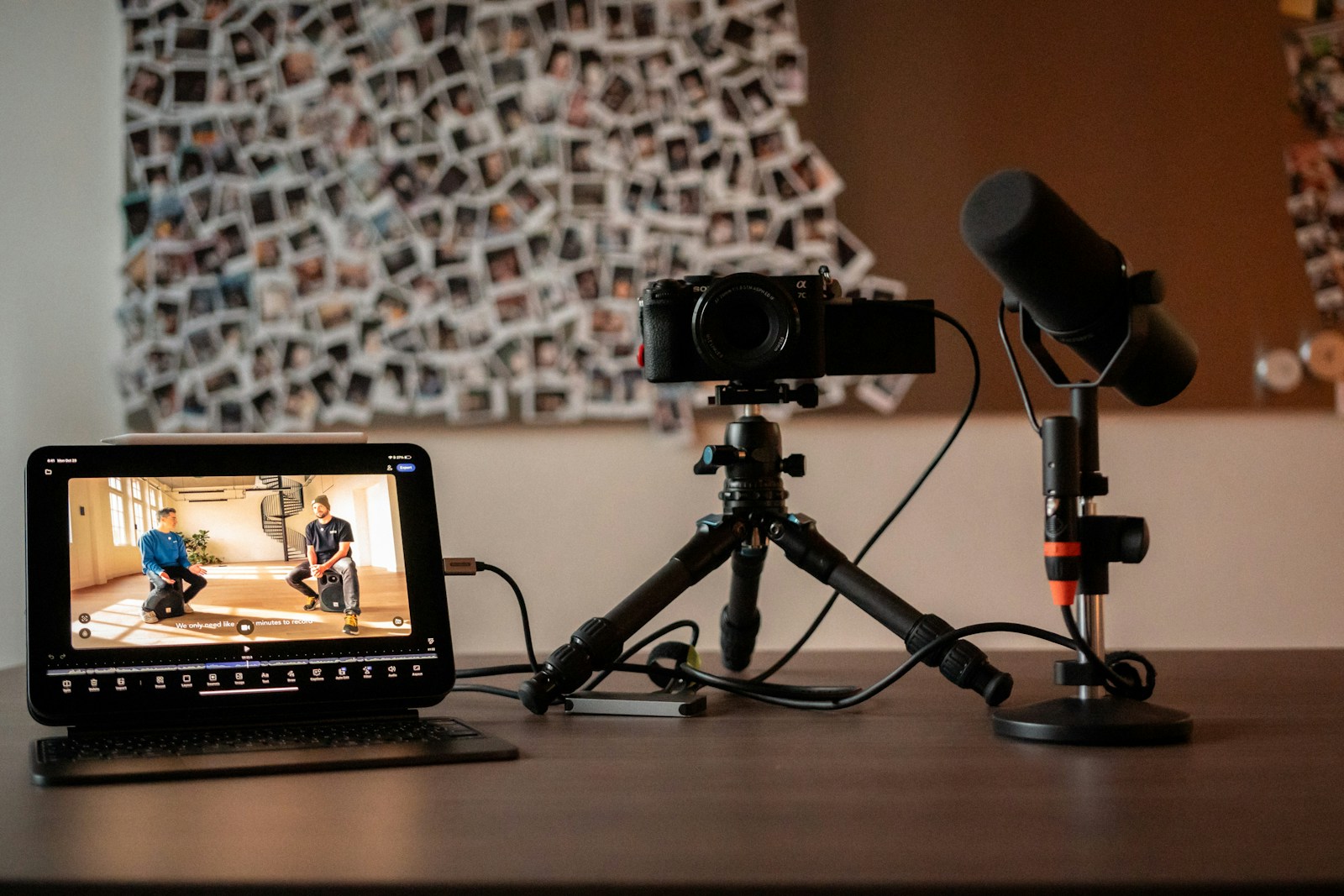
The AI tool reviewers on YouTube worth following in 2026 are the ones who put tools to work on screen and tell you when something doesn’t work. This list has 21 of them, grouped by what they test: AI assistants and productivity (6), AI coding (4), AI video and image models (6), local open-source tools (3), and AI editing and voice (2). Every entry links one recent video to start with.
This list is for anyone choosing AI tools who is tired of “top 10” videos that read out a feature list. The creators below show their inputs, show the outputs, compare tools on the same task, and say what didn’t work. Most of them are mid-sized channels you may not have found yet, alongside a few large ones that have earned their reach.
Each entry says why the creator is here and links one video to start with. They’re listed alphabetically, because this isn’t a ranking: a specialist who tests open-source image models and a channel that teaches ChatGPT workflows serve different viewers, and putting them in order would say nothing useful.
Which AI tool reviewer should you follow?
Start with the kind of tool you’re choosing. Everyone in the table is on the list below, and within each row they’re alphabetical.
| If you’re choosing… | Reviewers to start with | What they test |
|---|---|---|
| AI assistants and productivity tools | Grace Leung, Jeff Su, Mark Kashef, Paul J Lipsky, Peter Yang, The AI Advantage | ChatGPT, Claude and Gemini features and assistants on real work, from marketing campaigns to running a one-person business |
| AI coding tools and agents | Cole Medin, Leon van Zyl, Rob Shocks, The AI Automators | The same build or benchmark across models, with cost, speed and quality compared |
| AI video and image generators | AI Video School, Creative AI Show, Curious Refuge, CyberJungle, Tao Prompts, Theoretically Media | Same-prompt and blind comparisons of video and image models, credit costs, and tests against human craft |
| Local and open-source creative AI | Mickmumpitz, Nerdy Rodent, pixaroma | ComfyUI workflows you can run on your own machine, with hardware and failure cases shown |
| AI editing, voice and lip-sync | Bob Doyle Media, Primal Video | AI editors on real footage, and AI voices and lip-sync tools on the same scene |
If you’re new to AI tools altogether, the channels that teach workflows step by step (Jeff Su, Grace Leung and pixaroma among them) are gentler places to start than the benchmark-heavy ones. If you already know what you need and want a verdict, go to the side-by-side testers.
The 21 reviewers, A to Z
AI Video School
- Covers
- AI filmmaking, video model comparisons and credit costs
- Why they’re here
- Tests video models side by side and puts the cost of every result on screen. The video to start with runs the same scenes through MiniMax H3 and Seedance 2.5, works out the credits each one burns, and gives a whole chapter to the scenes where the more expensive model still wins. Affiliate links are labelled in the description, and a recent sponsored video carries YouTube’s paid-promotion label.
Is this you? Update or claim · Remove me
Bob Doyle Media
- Covers
- AI voices, lip-sync, avatars and AI video
- Why they’re here
- Focuses on the voice and lip-sync side of AI video. The video to start with directs voice performances in Fish Audio, then puts the same scene through several lip-sync and video tools and points out where the movement still gives the AI away. That video is sponsored by Fish Audio, disclosed with YouTube’s paid-promotion label.
Is this you? Update or claim · Remove me
- Covers
- AI coding agents, model mixing and costs
- Why they’re here
- Runs controlled builds instead of trading impressions. After hitting the limits on his coding plans, he builds the same apps three ways (open models only, one frontier model, and a planner model paired with a cheaper coding model) and compares cost and results, with the test setup published as open source. Sponsors are disclosed with YouTube’s label and their own chapter.
Is this you? Update or claim · Remove me
- Covers
- Same-prompt showdowns of AI image and video models
- Why they’re here
- Hosts Bryon Scott and Rosh Sillars give competing models the exact same prompts and judge them category by category. In the video to start with, Seedance 2.5 and MiniMax H3 get identical prompts with no start frames and are compared on human motion, physics, camera movement, consistency and creativity. A small channel that posts almost daily, and worth catching early.
Is this you? Update or claim · Remove me
- Covers
- AI filmmaking tools tested against human craft
- Why they’re here
- Measures AI tools against professional human work and publishes the verdict even when it’s unflattering. For the video to start with, they stripped the audio from finished footage, had two AI agents redo the sound design, and compared both with the original; their write-up concludes the results aren’t ready for professional projects. They run a paid AI filmmaking school, which their videos promote openly.
Is this you? Update or claim · Remove me
CyberJungle
- Covers
- AI filmmaking workflows and blind model comparisons
- Why they’re here
- Uses blind comparisons: you pick your favourite clip before finding out which model made it, which keeps brand names from swaying the verdict. The video to start with runs Seedance 2.5, MiniMax H3 and Wan 3.0 through that format and then breaks down the results. That video carries YouTube’s paid-promotion label.
Is this you? Update or claim · Remove me
Grace Leung
- Covers
- AI assistants and agents for marketing teams
- Why they’re here
- Builds real marketing workflows live instead of listing features. In the video to start with she sets up brand context, reusable skills and specialist agents inside ChatGPT step by step, then coordinates them on a campaign from Slack, and explains when to reach for which tool. Sponsors get YouTube’s label and their own chapter.
Is this you? Update or claim · Remove me
Jeff Su
- Covers
- AI productivity workflows in ChatGPT, Claude and Gemini
- Why they’re here
- Clear, on-screen walkthroughs of AI tools for everyday office work. The video to start with sets up a working folder with a plain-English rulebook, connects email and calendar, and builds a reusable skill, then shows that the same setup carries over to Claude. More tutorial than critique, and his sponsorships are consistently disclosed.
Is this you? Update or claim · Remove me
- Covers
- AI coding agents compared on quality and cost
- Why they’re here
- Gives competing models the same job and lets you judge the results yourself. In the video to start with, three models get one prompt in Claude Code to build a 3D mini-golf game; he plays all three and compares quality, build time and cost. He gives away the prompt and the source code of all three games.
Is this you? Update or claim · Remove me
- Covers
- AI agents and assistants tested on real builds
- Why they’re here
- Willing to say a much-hyped tool didn’t earn its place. In the video to start with he runs OpenAI’s Dots through setup, voice calls, Slack and a real task, and concludes he saw no clear reason to switch from the setup he already uses. His head-to-head model tests report build times and costs, not just impressions.
Is this you? Update or claim · Remove me
- Covers
- Free, local AI VFX and filmmaking workflows
- Why they’re here
- Builds AI visual-effects workflows you can run on your own machine, and shows where they break. In the video to start with, only the masked part of real footage is regenerated, so the camera move, room and audio stay real; he puts the technique through four tests and says outright where it falls apart. The basic workflow is free.
Is this you? Update or claim · Remove me
Nerdy Rodent
- Covers
- Open-source image and video models in ComfyUI
- Why they’re here
- Tests new open models locally against the ones you might already use, and tells you the hardware. The video to start with puts a new image-editing model up against several established ones on single edits, multi-image edits, resolution and pose adherence, all running on a consumer graphics card.
Is this you? Update or claim · Remove me
- Covers
- Hands-on with ChatGPT, Gemini and Claude features
- Why they’re here
- Shows what a new feature does well and what frustrated him about it. In the video to start with he sets up OpenAI’s Dots assistant, hands it real tasks, and compares it with two rival assistants. That video is sponsored, and the sponsor is disclosed three ways: YouTube’s label, a line in the description and its own chapter.
Is this you? Update or claim · Remove me
Peter Yang
- Covers
- Real-use tests of AI assistants and agents
- Why they’re here
- Tests assistants on his actual work rather than demo prompts. For the video to start with he used OpenAI’s Dots for several days to run his one-person business, from research to auditing his sponsorships (it caught an issue he had missed), then compared it with alternatives and closed with where it falls short.
Is this you? Update or claim · Remove me
- Covers
- ComfyUI workflows for open image and video models
- Why they’re here
- Patient, step-by-step tutorials that show every input and output, including what goes wrong. The video to start with covers installing MiniMax H3 locally and its licence, then text-to-video, first-and-last-frame and audio-driven workflows, with generation-time tests and a fix for a common memory error.
Is this you? Update or claim · Remove me
- Covers
- AI video editing tools for creators
- Why they’re here
- Justin Brown tests AI editing tools on his own footage and shows the misses as well as the wins. In the video to start with he hands about 24 minutes of raw footage to ChatGPT driving DaVinci Resolve, shows what the first edit got wrong and how he fixed it, and breaks down the requirements and cost. Affiliate links are disclosed in his descriptions.
Is this you? Update or claim · Remove me
- Covers
- AI coding workflows, skill packs and costs
- Why they’re here
- Compares AI coding setups with an eye on what they cost to run. The video to start with walks through three popular skill packs for coding agents, prices out a head-to-head between them, and concludes that most projects don’t need every skill. Sponsors are disclosed with YouTube’s label and a chapter.
Is this you? Update or claim · Remove me
- Covers
- Cinematic AI video and model comparisons
- Why they’re here
- Long, structured comparisons organised around what filmmakers actually care about. The video to start with tests four video models on realism, multi-scene generation, dialogue, acting and creativity, chapter by chapter. Sponsored segments carry YouTube’s paid-promotion label.
Is this you? Update or claim · Remove me
- Covers
- Practical tests of new ChatGPT and Claude features
- Why they’re here
- Igor Pogany turns new model releases into side-by-side tests you can check for yourself. In the video to start with he shows five practical uses of Claude Opus 5.5, compares pricing, and runs a 50-website build-off against a rival model, with every result published on a public page for viewers to inspect.
Is this you? Update or claim · Remove me
- Covers
- Benchmarks for AI agents, RAG and automation
- Why they’re here
- Brothers Alan and Daniel build their own benchmarks and publish the code. In the video to start with, 13 decision models each make thousands of decisions on a local workstation, scored for accuracy and speed; the favourite won by a smaller margin than expected, and some models couldn’t run the test at all. More technical than most of this list.
Is this you? Update or claim · Remove me
Theoretically Media
- Covers
- AI video, image and audio model tests
- Why they’re here
- Runs new creative AI models through numbered tests with his own prompts and says plainly when something isn’t ready. The video to start with puts an early-access video model through five tests and notes its limits, then tries an image editor and a voice model on real projects, and admits which new tool he hasn’t tested yet. Affiliate links are labelled as such.
Is this you? Update or claim · Remove me
How we checked each reviewer
We looked at roughly 100 channels across general AI tools and creative AI tools, found through search, creator communities and newsletters that recommend YouTubers. For each one that made the list we:
- Checked they’re active. Every creator here uploaded at least monthly over the last 90 days, confirmed against their channel’s public upload feed.
- Picked one real test. We chose a recent video where they put a tool to work on screen, then confirmed its exact title and channel with YouTube itself.
- Read what the video sets out to do. The “why” in each entry comes from that video’s own description and chapters: which tools were tested, how, and what the creator concluded.
- Looked for the warning signs. We left out channels built mainly on hype titles, “make money with AI” promises, faceless AI-generated uploads, or heavy undisclosed promotion.
Some strong channels didn’t make it, usually because they’ve drifted from testing tools to weekly news roundups, or because they hadn’t posted in the last 90 days. That says more about this list’s focus than about them. Our methodology covers the rules every list follows.
There are no subscriber counts on this page yet. We only publish YouTube numbers that come from the official YouTube Data API, with the date they were checked, and we refresh or remove them within 30 days. Subscriber totals also tell you less than you’d think: a channel’s last ten videos say far more about how it’s doing now than its lifetime numbers.
How to tell if an AI tool review is worth trusting
Even good reviewers get sent free access, run sponsored videos and earn affiliate commissions. None of that makes a review worthless, as long as you can see it and the test is real. Five quick checks:
- Look for the disclosure. A sponsored video should say so out loud and on screen near the start. YouTube also shows a paid-promotion label when the creator declares it in YouTube Studio. A line buried in the description isn’t enough on its own, according to the FTC’s guidance for creators.
- Check the inputs. Can you see the actual prompt or footage that went in? A review that only shows polished outputs is closer to a demo.
- Look for a comparison. The most useful reviews put two or more tools on the same task, with the same prompt.
- Listen for the downsides. Every tool fails at something. If a review never says what, it isn’t a review.
- Check the cost. Credits, plan limits and price per result decide whether a tool works for you, and the best reviewers put the numbers on screen.

We go deeper in how to tell if a YouTube AI tool review is honest, including what YouTube’s paid-promotion label does and doesn’t tell you.
What to do next
- Choosing tools? Pick the row in the table that matches what you’re buying and watch two reviewers from it, ideally one who compares and one who teaches.
- Reviewing AI tools yourself? Our guide to disclosing affiliate links and sponsorships covers what the FTC, YouTube, TikTok and Instagram expect from creators in 2026.
- A brand looking for reviewers? Read how to vet a YouTube creator before a sponsorship before you reach out to anyone.
- Know someone who belongs here? Suggest a creator. Suggestions go through the same checks as everyone else, and we review this list every quarter.
Frequently asked questions
- Who are the best AI tool reviewers on YouTube in 2026?
- It depends on the tools you’re choosing. For AI assistants and productivity: Grace Leung, Jeff Su, Mark Kashef, Paul J Lipsky, Peter Yang and The AI Advantage. For AI coding: Cole Medin, Leon van Zyl, Rob Shocks and The AI Automators. For AI video and image models: AI Video School, Creative AI Show, Curious Refuge, CyberJungle, Tao Prompts and Theoretically Media. For local open-source tools: Mickmumpitz, Nerdy Rodent and pixaroma. For editing and voice: Primal Video and Bob Doyle Media.
- Did any of these creators pay to be on this list?
- No. Nobody pays to be included, inclusion never depends on using or promoting any product, and nobody on this list was asked to mention one. Each creator is here because of a recent video in which they test AI tools on screen, and the entry says which one.
- How did you choose these AI tool reviewers?
- Each one shows tools working on screen with real inputs and outputs, posted at least monthly over the last 90 days, and is doing well for their size on recent videos. For every entry we picked one recent video where they actually test a tool, verified it with YouTube, and wrote down what it does well. Our methodology page has the details.
- Why are the reviewers listed alphabetically?
- Because this isn’t a ranking. A specialist who tests open-source image models and an anchor channel teaching ChatGPT workflows serve different viewers, and ranking them against each other would say nothing useful. Alphabetical order also makes it obvious that no position on the list was bought or traded for anything.
- Do these YouTubers disclose sponsorships and affiliate links?
- Many of the videos we suggest carry YouTube’s paid-promotion label or name the sponsor in a chapter, and several creators label affiliate links in their descriptions. Disclosure still varies from video to video, so check each one: look for the label at the start, a spoken mention, and a disclosure next to any links in the description.
- Why are there no subscriber counts on this page?
- We only publish YouTube numbers that come from the official YouTube Data API, dated, and refreshed or deleted within 30 days, as YouTube’s developer policies require. Until those are in place for this list we’d rather show no number than a stale or estimated one. Subscriber counts also say little about how a channel is doing now.
About this list
We review every list each quarter. This one was last reviewed on . Every number is dated and says where it came from. How we pick creators.
Spot a mistake? Email corrections@topfluencers.co and we’ll fix it within 48 hours.
Featured here? There’s a free badge you’re welcome to use, with no conditions: get your badge.